I typed a checklist from scratch for closing the pool deck. Now we want to use it every night. Do I have to type it again as a template?
Posted by the ChecklistSquad team. This one comes up often, so the answer is below. Reply if your setup needs something it doesn’t cover.
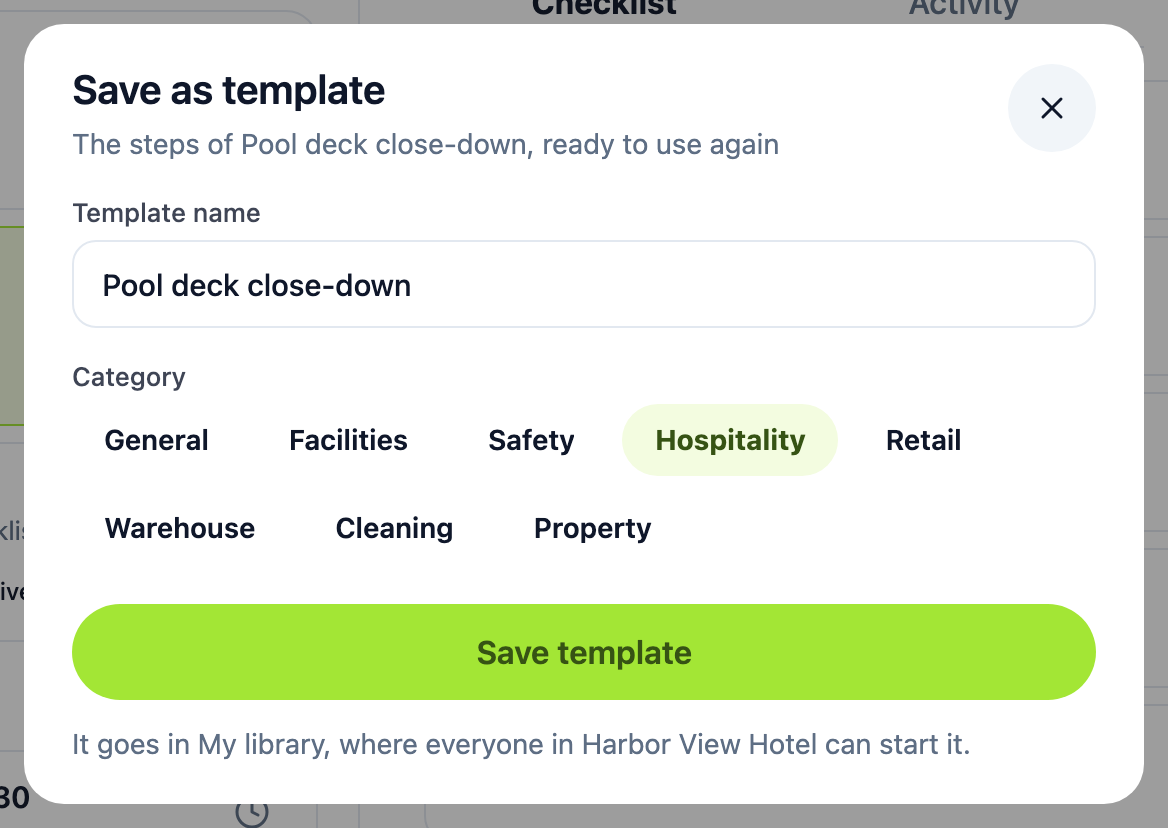
No. Open the checklist, tap ••• (More actions), and choose Save as template. Give it a name and a category, then tap Save template.
The template goes in Templates → My library, where everyone in your organization can start it. It takes the checklist’s sections and steps. Answers, ticks and who did what stay with the original checklist.
If the pool deck should come back every night by itself, choose Repeat… in the same menu instead. Its steps go into your library as a template that repeats, and whoever did each part does it every time. How do I set up a checklist that repeats every day? covers the times, skipping a night and pausing.
You can start without any template too: on Checklists, tap New checklist and type the steps like a note. It’s named for the day until you rename it.
Once it’s a template, you can add photo and yes/no fields to its steps.