On our room turnover, “Note any damage” should only appear when there is damage. Can a step depend on an earlier answer?
Posted by the ChecklistSquad team. This one comes up often, so the answer is below. Reply if your setup needs something it doesn’t cover.
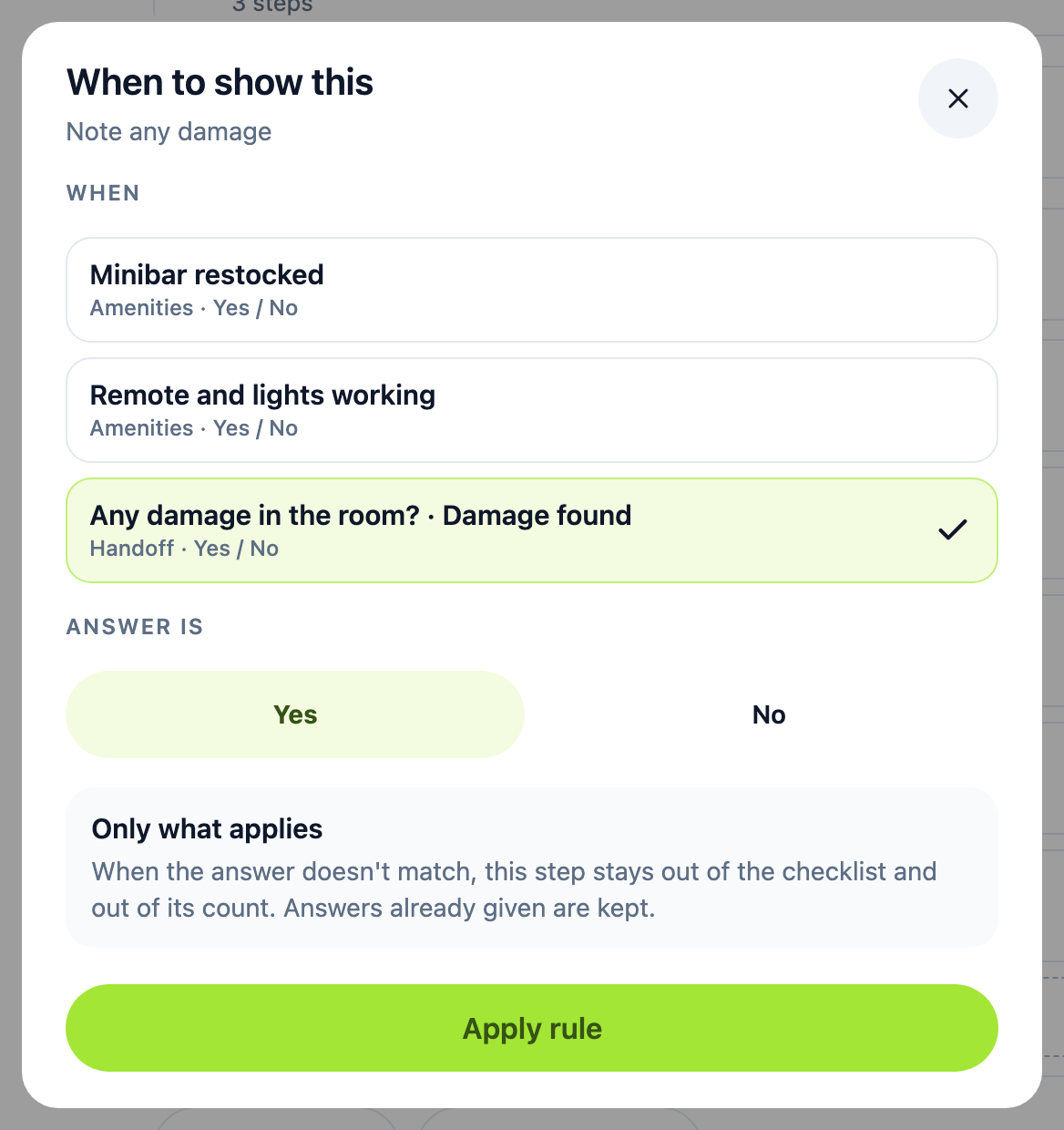
Yes. Give the step a rule with Show only when…. The rule looks at an earlier yes/no or number answer, and the step stays hidden until the answer matches.
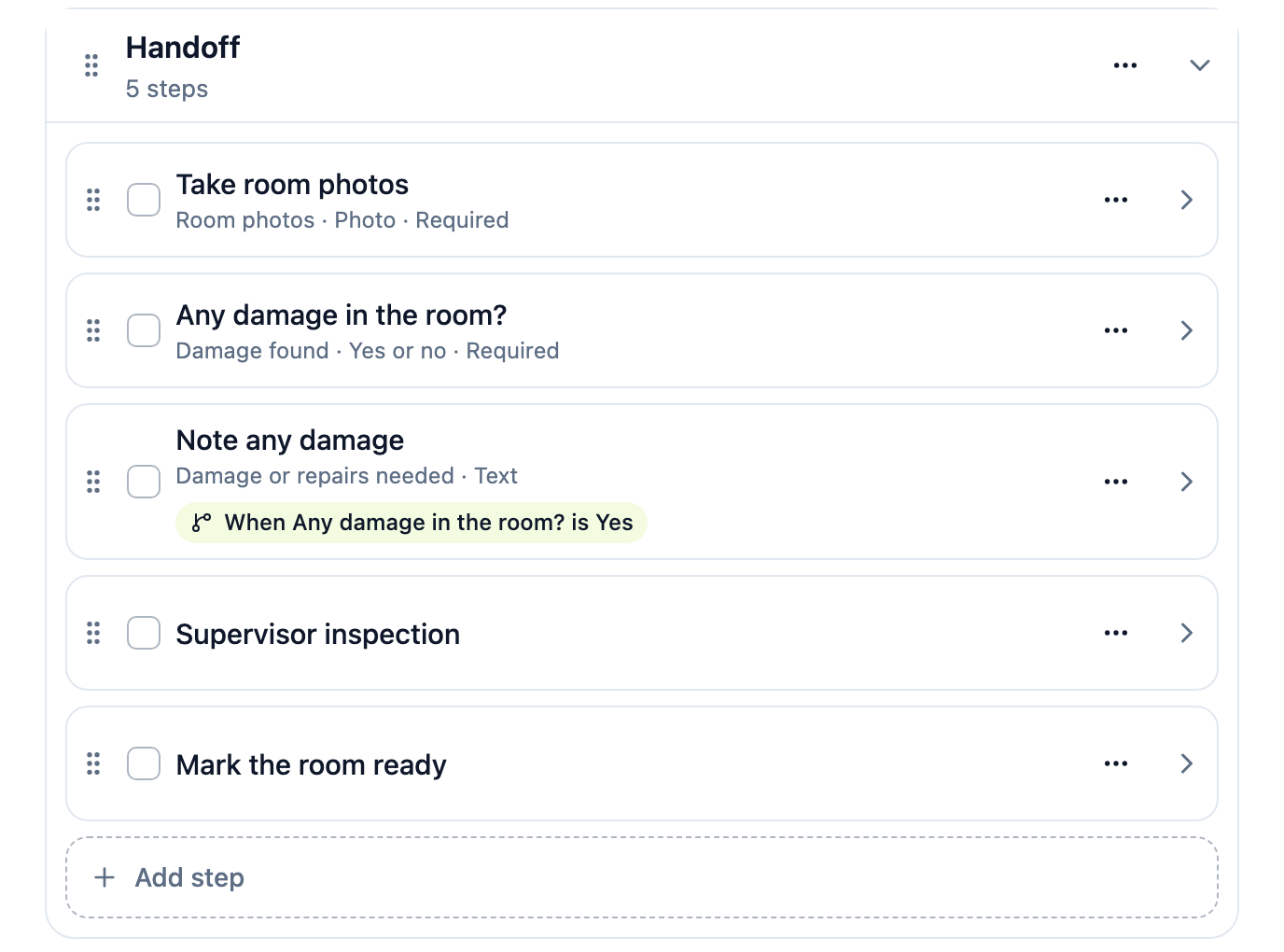
- Make sure an earlier step asks the question, for example “Any damage in the room?” with a yes/no field.
- In the template editor, open the later step’s ••• menu and choose Show only when….
- Pick the earlier step, then the answer: Yes or No, or for a number, greater or less than a value.
- Tap Apply rule, then Save changes.
The outline shows the rule as a chip on the step:
- A hidden step stays out of the checklist and out of its count.
- If someone changes the earlier answer, the step hides again, and anything already typed into it is kept.
- A rule can only look at a step that comes before it. Use Move up in the step’s menu if the question is below.
Help center: Ask only what applies