I get an email every time I’m assigned something. Can I choose which emails I get?
Posted by the ChecklistSquad team. This one comes up often, so the answer is below. Reply if your setup needs something it doesn’t cover.
I get an email every time I’m assigned something. Can I choose which emails I get?
Posted by the ChecklistSquad team. This one comes up often, so the answer is below. Reply if your setup needs something it doesn’t cover.
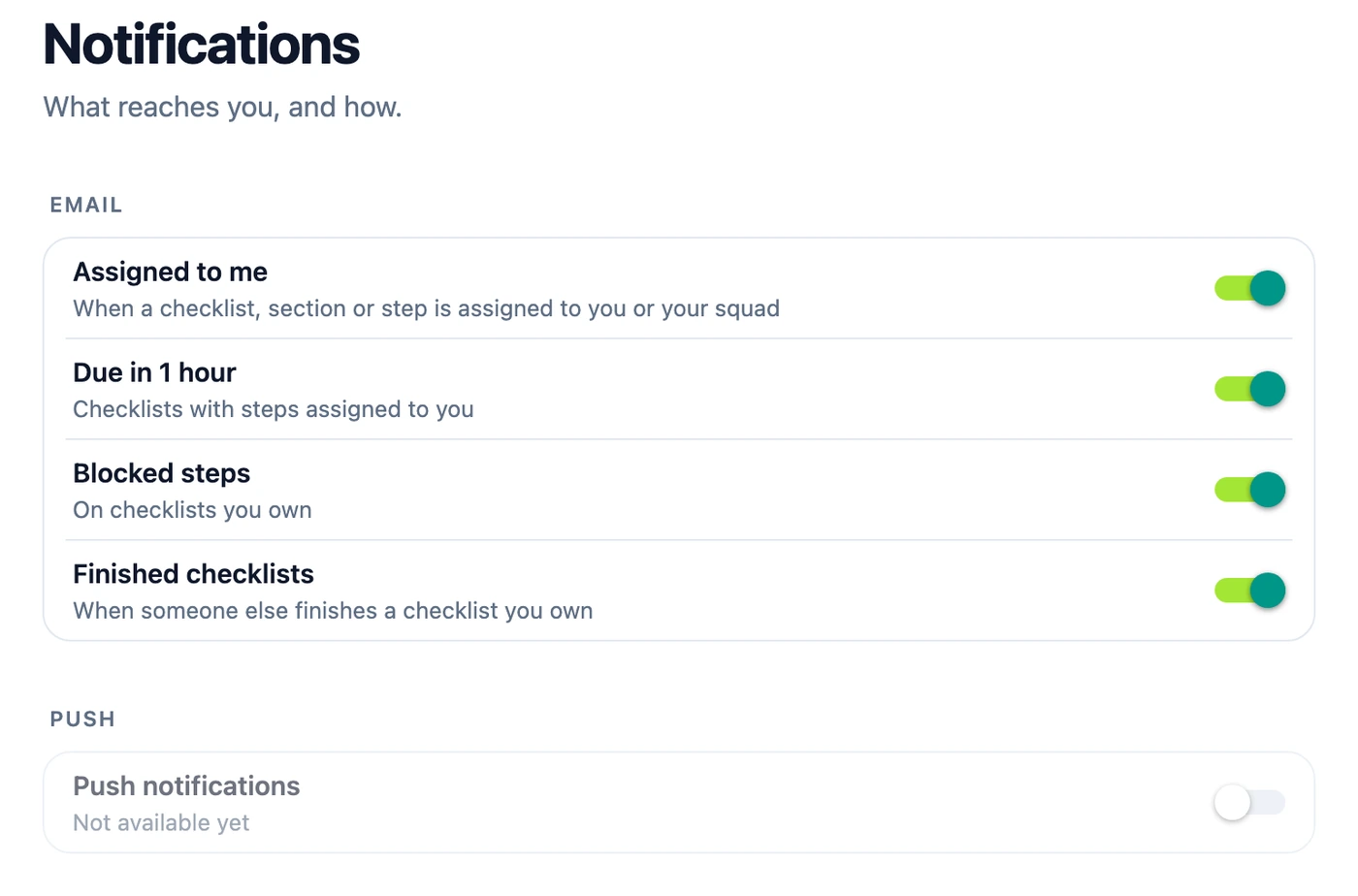
Yes. Open More → Profile → Notifications. Each kind of email has its own switch:
The setting is yours alone and follows you to every device. Every email also ends with Stop emails like this, which turns off that one kind.
Work emails wait for five quiet minutes before they’re sent, so a burst of changes doesn’t become a burst of emails.
Push notifications aren’t available yet. If you want them, vote for push notifications.
Help center: Notifications